BYB Backpack Set the pulse. Take control.
A Bluetooth controller for your Backpack board.
Choose a preset, adjust your stimulus, and send it with a tap. Free for Windows, macOS, iPhone, iPad, Android and supported Chromebooks. Compatible Backyard Brains hardware is required for output.
Choose your device to get the app.
Mac app · Intel and Apple silicon · .dmg installer
64-bit Windows app · signed .exe installer
Free app for iPhone and iPad
Free app for Android phones and tablets
For supported Chromebooks with Google Play and Bluetooth
Choose your device
Your stimulus. Your settings.
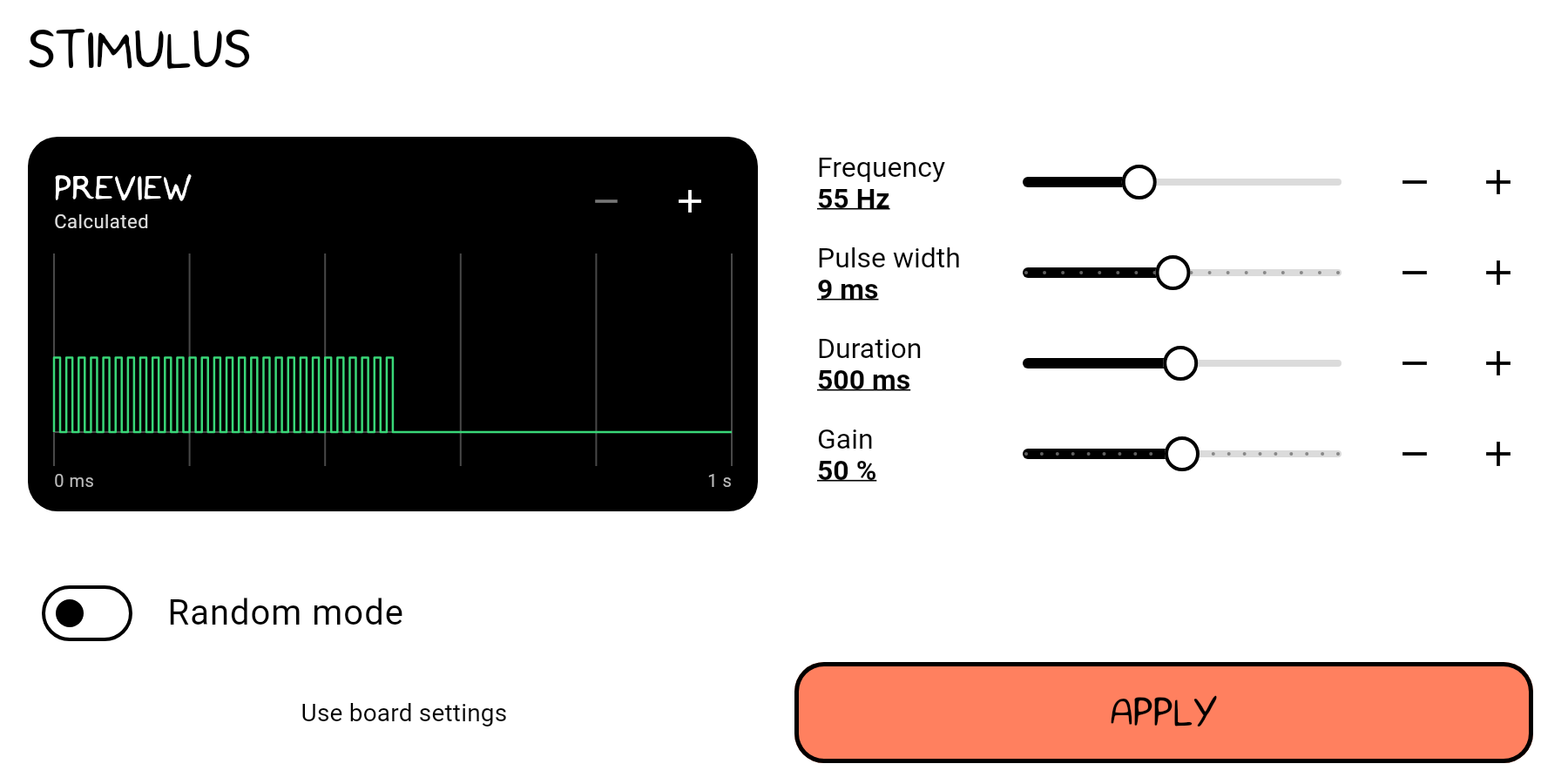
Start with a frequency preset, then adjust frequency, pulse width, duration and gain. Tap a value to enter a number, or use the sliders and plus and minus controls.
The calculated preview shows how your settings shape the pulse train. Apply your settings, then use Left or Right on the control screen to send the stimulus.
Connect. Set. Go.
1. Connect your board
Turn on your compatible Backpack board. Open the app, tap Connect, and allow Bluetooth access.
2. Set your stimulus
Choose a preset or open settings to adjust the pulse. Preview your settings before applying them.
3. Control the output
Tap Left or Right, or swipe across the control screen, to send the configured stimulus.
Before you connect
Yes, a compatible Backyard Brains Backpack board is required to produce an output. You can explore the settings and calculated preview without a connected board.
Backpack controls stimulus output. Its preview is calculated from your settings; it is not a live recording from the board.
No account is needed. Once installed, Bluetooth control works without an internet connection. The app can send diagnostic reports when internet access is available; see the privacy policy for details.
Contact Backyard Brains at hello@backyardbrains.com for help with installation, Bluetooth connection or your board.
Ready to connect?
macOS
For Intel and Apple silicon Macs.
Download for macOSWindows
Signed installer for 64-bit Windows.
Download for WindowsiPhone & iPad
Get the free BYB Backpack app.
App StoreAndroid & Chromebook
Get the free app on Android and supported Chromebooks with Google Play.
Google Play